- Doors created in gameAim at a door and save it from the admin panel. No SQL editing and no restarts.
- Job, gang and item locksRestrict a door by job and grade, gang or organization, or a required item key.
- Lockpick supportSupported lockpick minigames are detected at startup so players can pick enabled doors.
- Live database syncDoors are stored in the database and broadcast to every connected client instantly.
A modular FiveM door lock script managed in game
Rarx Doors (resource name rarx_doors) lets staff lock any door on the map from an in-game admin panel. Doors are saved to the database and broadcast to every connected client, so you can create, edit and delete them on the fly without kicking players or reloading the resource.
The framework, inventory, lockpick and gang systems are detected automatically at startup. The framework is checked in the order qbx_core, qb-core, es_extended, and the startup log prints what was found so you can confirm the setup at a glance.
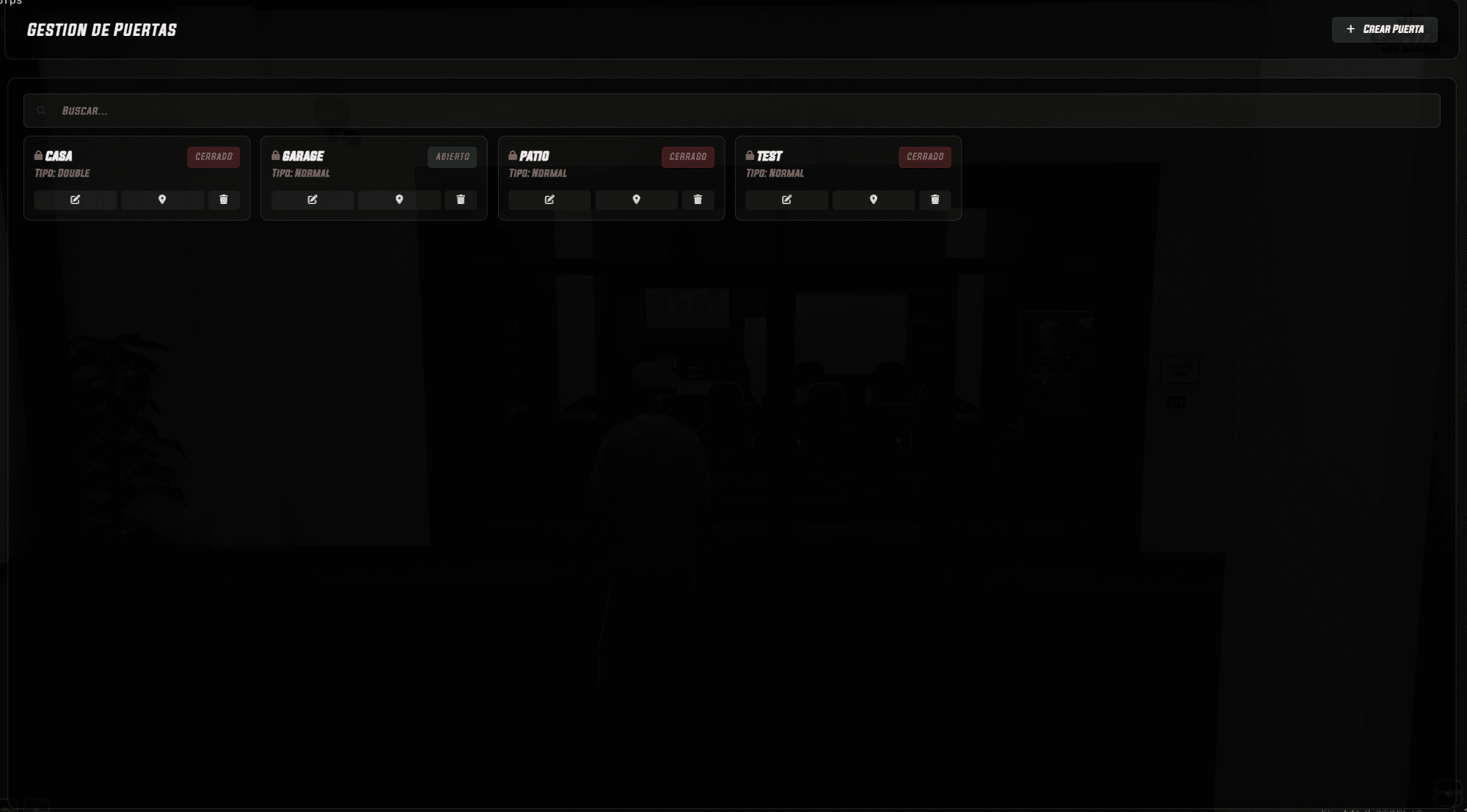
In-game door creator with no SQL editing
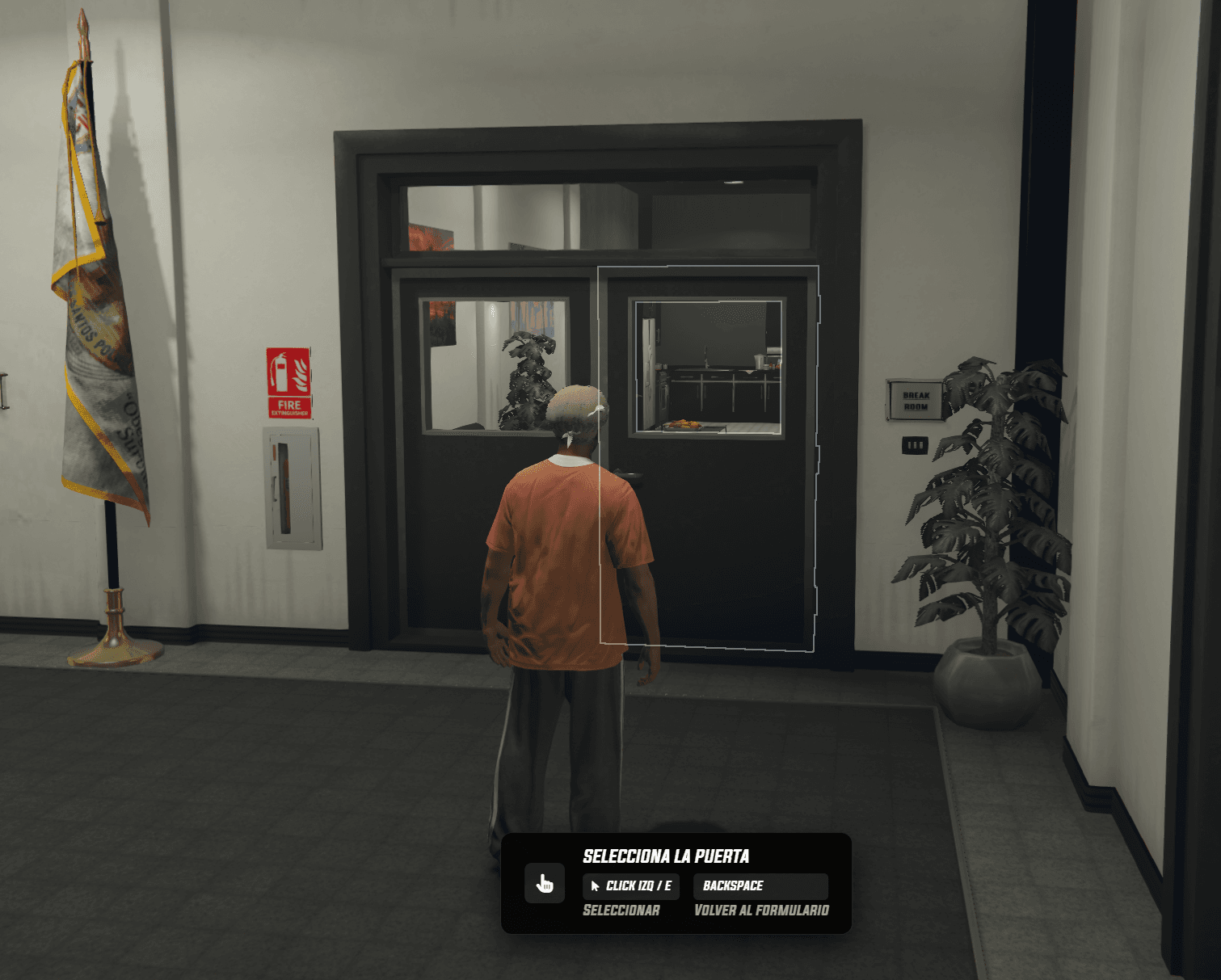
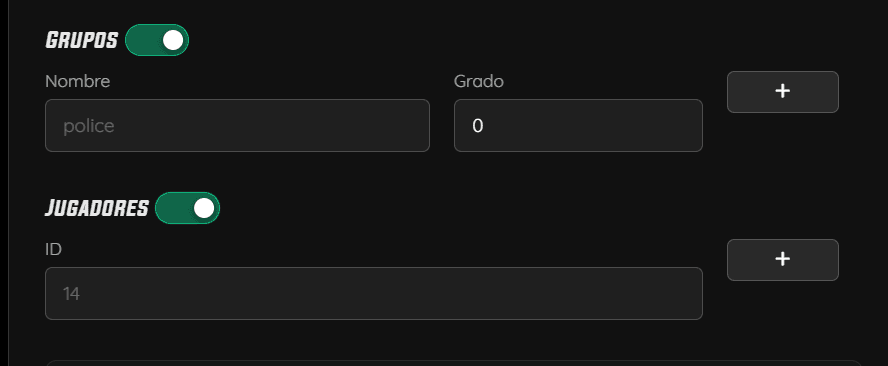
Open the panel with the management command (default /doors), aim at the door and use the create action. The model, coordinates and heading are filled in automatically; you choose the locked state and any restrictions, then save. The new door is registered on every client right away.
Doors work with vanilla and streamed door models, and the item picker in the panel reads item labels straight from your active inventory.
Job, grade, gang and item restrictions for FiveM doors
Each door can be public or restricted. When several restrictions are set on the same door they are combined, for example police grade 2 and a keycard item.
- Job locks by job name and minimum grade, with several jobs allowed on one door for shared buildings.
- Gang and organization locks using framework gangs or a supported organization resource.
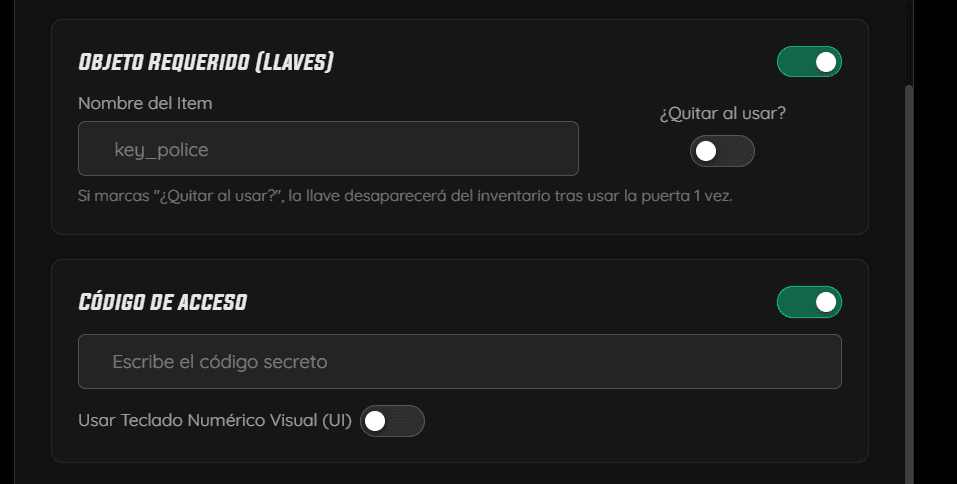
- Item keys that require a specific item, with optional consume-on-use.
- Lockpick doors that players open with the lockpick minigame your server already runs.
Auto-detected inventories, lockpicks and gang systems
Rarx Doors looks for supported inventory, lockpick and gang resources when it starts. If one is missing it prints a warning and falls back gracefully: gang-restricted doors fall back to framework gangs and lockpick-only doors cannot be picked until a supported lockpick resource runs.
New inventory, lockpick or gang systems can be added by appending the resource name to the detection lists and implementing the matching branch, without changing core code.
Server-side validation, webhook logs and door sounds
Every lock and unlock request is checked on the server against the job, gang grade, item ownership and distance before the new state is broadcast. Admin actions in the panel are permission-checked on the server as well.
Three separate webhook channels log door creation, door deletion and door usage, so staff have an audit trail of who locked what. Bundled lock and unlock sounds play locally with proximity falloff, without extra resources.
Everything included
Features
Door management
- In-game admin panel opened with a configurable command
- Model, position and heading filled in from the door you aim at
- Create, edit and delete doors without restarts
- Doors stored in the database and broadcast live
- Admin access limited to configured groups
- Export to open the panel from your own menu
Access rules
- Job and minimum grade restrictions
- Several jobs on the same door
- Gang and organization restrictions
- Item keys with optional consume-on-use
- Lockpick-enabled doors
- Server-side validation of every lock and unlock
Extras
- Webhook logs for creation, deletion and usage
- Bundled lock and unlock sounds with proximity falloff
- Vanilla and streamed door models
- English and Spanish translations included
Commands
| Command | What it does | Access |
|---|---|---|
/doors | Open the door management panel | Groups in Config.GroupPermissions |
Before you install
Compatibility
Frameworks
- Qbox
qbx_core- QBCore
qb-core- ESX
es_extended
Detected automatically at startup in the order qbx_core, qb-core, es_extended.
Resources and database
Required: ox_lib, oxmysql
Optional: qb-lockpick, lockpick or t3_lockpick (lockpick doors), origen_ilegalv2, qs-crimencreator, jc_organizaciones or rcore_gangs (organization locks; framework gangs otherwise)
Database: The door table is created automatically on first start. No SQL import is needed.
Inventories
- ox_inventory
ox_inventory- qb-inventory
qb-inventory- qs-inventory
qs-inventory- origen_inventory
origen_inventory- rarx_inventory
rarx_inventory
Detected automatically; used by the item picker in the admin panel. Without a recognized inventory the item list falls back to QBCore shared items (qb-core only).
Integrations and languages
- Logging uses three Discord-compatible webhook URLs set in config/config.lua; leave one empty to disable it.
- Language set with Config.Language ('en' or 'es').
- English
- Spanish
Setup
Installation
- 01
Download and extract
Download the resource from your Cfx.re Portal and extract it into your resources folder.
- 02
Start it after its dependencies
ox_lib and oxmysql must start before rarx_doors. The database table is created on first start.
ensure ox_lib ensure oxmysql ensure rarx_doors - 03
Configure
Edit config/config.lua to set the language, admin groups, command name and webhook URLs.
- 04
Create your doors
Join the server, run /doors (or your configured command) and lock doors from the admin panel.
This is a summary. Configuration, exports, events and troubleshooting are in the full documentation.
Good to know
Questions about Rarx Doors
Something not covered here? Open a ticket in our Discord with your framework and the error you see.
Get supportMore about FiveM door lock scripts →Which frameworks does Rarx Doors support?
Qbox, QBCore and ESX. The framework is detected automatically at startup in the order qbx_core, qb-core, es_extended.
Do I need to import a SQL file?
No. The door table is created automatically the first time the resource starts. Doors are then managed from the in-game panel.
Can one door require a job and an item at the same time?
Yes. Restrictions set on the same door are combined, so a door can require, for example, police grade 2 and a keycard item.
The lockpick option does not appear on a door. What should I check?
The door needs lockpick enabled in its settings and a supported lockpick resource (qb-lockpick, lockpick or t3_lockpick) must be running. Check the Lockpick line in the startup log.
Why is the item picker in the admin panel empty?
Start your inventory before rarx_doors and check the Inventory line in the startup log. If your inventory is not recognized, the list falls back to QBCore shared items, which only exist on qb-core.
Why do I get a no permission message when running /doors?
Your admin group is not listed in Config.GroupPermissions. Add the group your framework assigns to you, such as god, admin or superadmin.
Keep exploring
Related resources
 New-50%