

- Managed in gameCreate, edit and delete machine groups and items from an admin panel without restarts.
- Placement editorDrop props in the world and move, rotate and confirm them with an on-screen legend.
- Prices and stockPer-item price and optional stock, saved to the database.
- Nine inventoriesAuto-detects your inventory or lets you pin one of the supported systems.
A FiveM vending machine script managed from an admin panel
Rarx Vending Machines (resource name rarx_vmachines) replaces hard-coded vending props with machines your staff place and stock from an in-game panel. Groups, items and machine placements are stored in the database, so nothing needs to be edited in config files and nothing needs a restart.
Players walk up to a machine and get a clean [E] prompt only when they are within range, and the products they buy are handed out and checked through the inventory your server already uses.
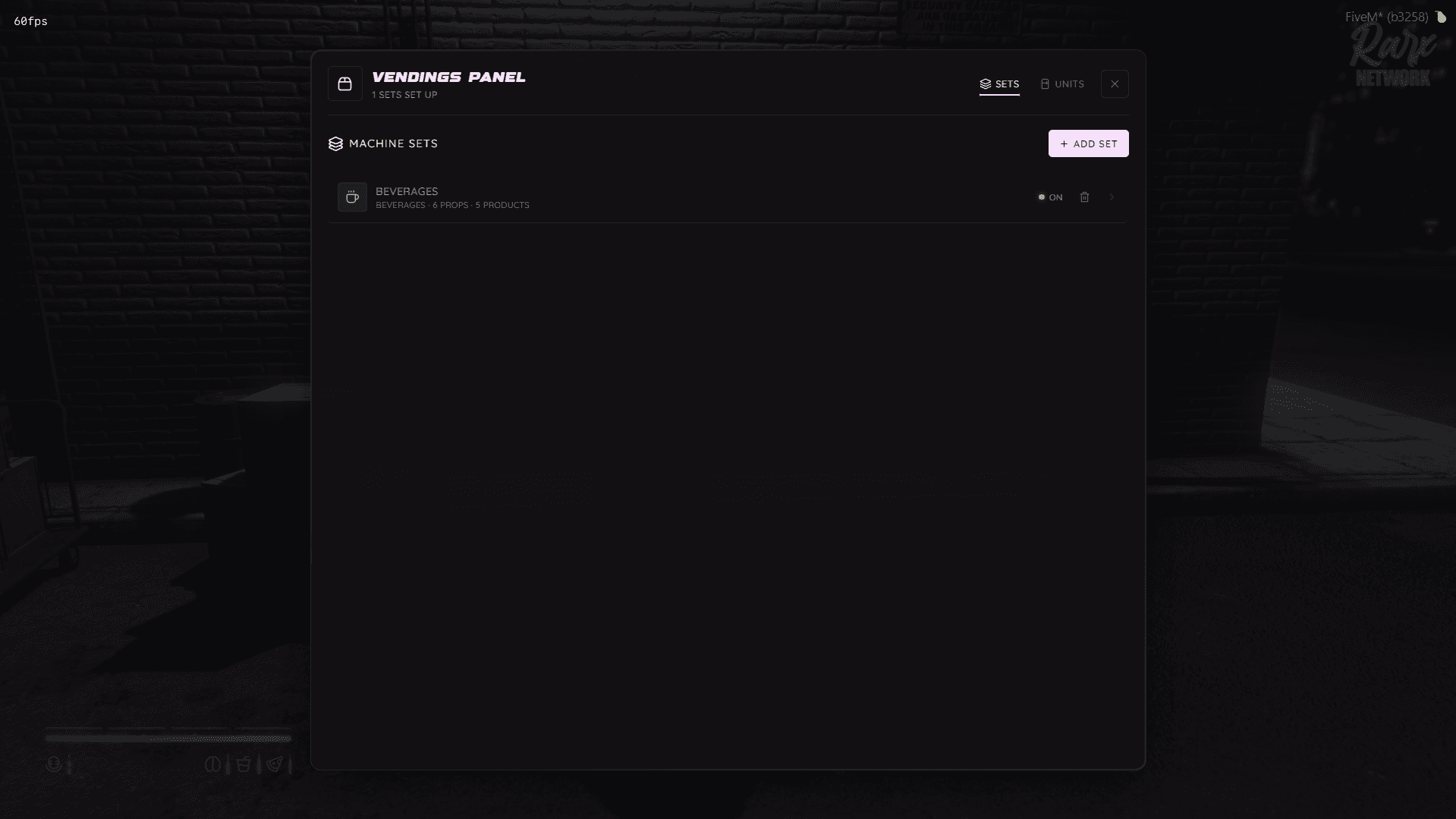
Drinks, snacks, coffee and cigarette vending machines
Machines are organized into groups that share a catalogue and a product list. The fixed categories fill in their props automatically, while the custom category starts empty so you can build your own machine.
- Drinks: soda machines, drink fridges and water dispensers.
- Snacks: compact snack machines and texture variants.
- Coffee: coffee machines and portable coffee dispensers for cafes, offices and break rooms.
- Cigarettes: tobacco vending machines and store cigarette shelves.
- Custom: pick any interactive prop from the catalogue and stock it however you like.
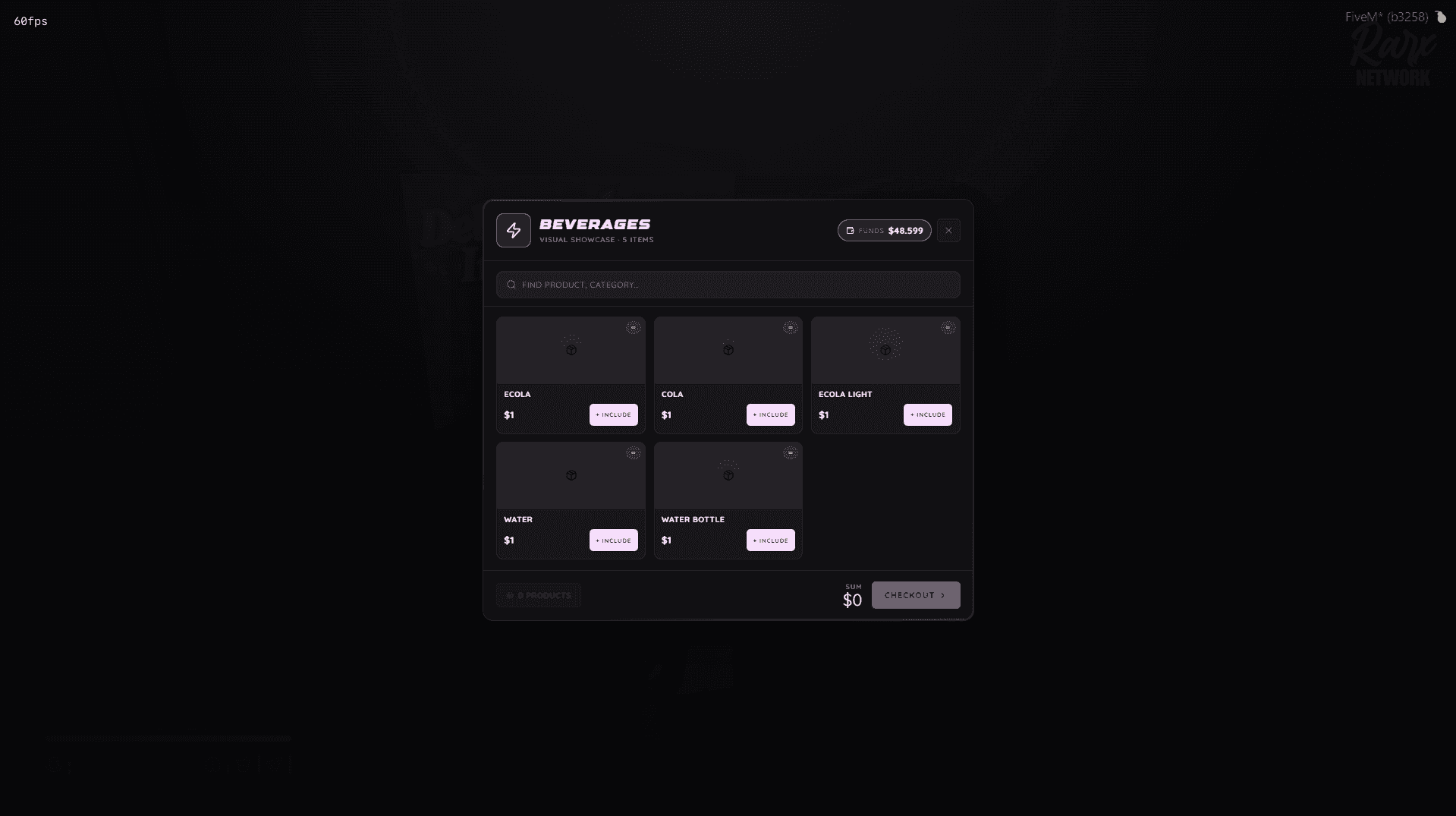
In-game admin panel and placement editor
Admins open the panel with /vmadmin, create a group, pick its category, add the products with a price and optional stock, and then place machines in the world. The placement editor shows an on-screen control legend to move, rotate and confirm each prop right where you stand.
Changes are confirmed with in-panel notifications, and every group, item and machine is persisted to the database through oxmysql.
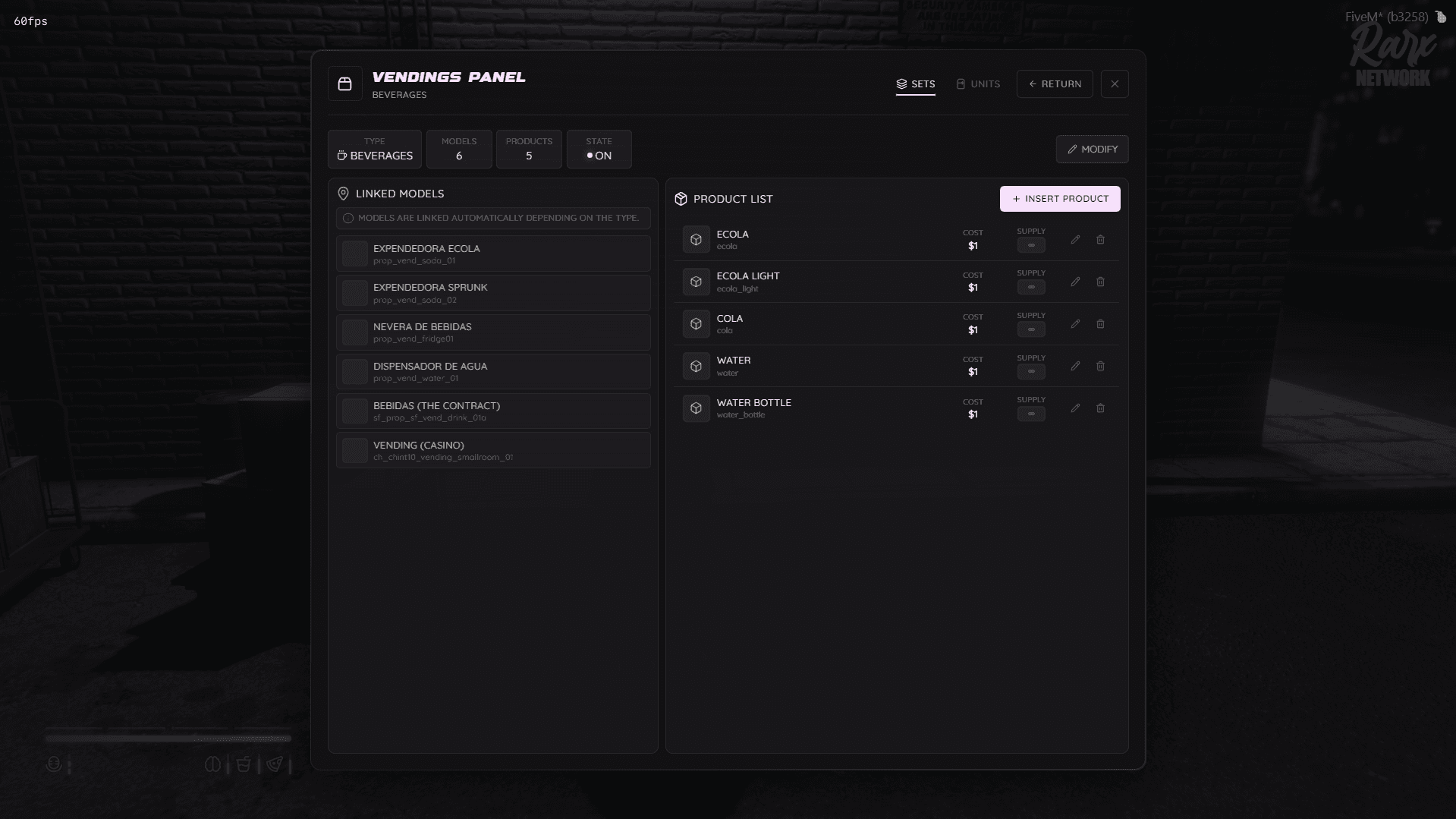
ACE-gated access, webhook logs and performance settings
Management is locked behind configurable ACE groups. You can use the built-in god, admin and superadmin groups or grant your own custom ace.
Webhook logs record every group and item created, updated or removed and every machine placed, updated or deleted, with a separate channel for each event. A configurable render distance and interaction radius keep props streamed efficiently.
Everything included
Features
Management
- In-game admin panel with /vmadmin
- Machine groups by category
- Drinks, snacks, coffee, cigarettes and custom categories
- Placement editor with move, rotate and confirm
- Per-item price and optional stock
- Groups, items and machines saved to the database
Server
- Inventory auto-detection or a pinned inventory
- ACE-gated management access
- Webhook logs for nine group, item and machine events
- Configurable render distance and interaction radius
- Database tables created automatically
- English and Spanish translations included
Commands
| Command | What it does | Access |
|---|---|---|
/vmadmin | Open the vending machine admin panel | Config.AdminGroups or the custom ace |
Before you install
Compatibility
Frameworks
- QBCore
qb-core- Qbox
qbx_core- ESX
es_extended
Set Config.Core in config.lua to 'qb-core', 'qbx_core' or 'esx'.
Resources and database
Required: oxmysql, ox_lib, rarx_lib, A supported inventory
Database: All rarx_vmachines_* tables are created automatically on first start. No SQL import is needed.
Inventories
- rarx_inventory
rarx_inventory- ox_inventory
ox_inventory- qb-inventory
qb-inventory- qs-inventory
qs-inventory- ps-inventory
ps-inventory- origen_inventory
origen_inventory- codem-inventory
codem-inventory- tgiann-inventory
tgiann-inventory- core_inventory
core_inventory
Config.InventorySystem = 'auto' detects it, or set a specific inventory.
Integrations and languages
- Logging is configured in config_server.lua with one Discord-compatible webhook URL per event.
- Language set with the rarx-lang convar.
- English
- Spanish
Setup
Installation
- 01
Download and extract
Download the resource from your Cfx.re Portal and extract it into your resources folder.
- 02
Start it after its dependencies
oxmysql, ox_lib and rarx_lib must start before rarx_vmachines. The database tables are created on first start.
ensure oxmysql ensure ox_lib ensure rarx_lib ensure rarx_vmachines - 03
Set the framework and language
Set Config.Core in config.lua to match your framework and choose the language with the rarx-lang convar.
setr rarx-lang "en" - 04
Grant access and open the panel
Add your account to one of Config.AdminGroups or grant the custom ace, then run /vmadmin in game.
This is a summary. Configuration, exports, events and troubleshooting are in the full documentation.
Good to know
Questions about Rarx Vending Machines
Something not covered here? Open a ticket in our Discord with your framework and the error you see.
Get supportMore about FiveM vending machine scripts →Which frameworks does Rarx Vending Machines support?
QBCore, Qbox and ESX. Set Config.Core to 'qb-core', 'qbx_core' or 'esx' to match your server.
What do I need installed?
oxmysql, ox_lib, rarx_lib and one of the supported inventories. The database tables are created automatically.
/vmadmin does nothing. What should I check?
Your account must be in one of Config.AdminGroups, or you need the custom ace, for example add_ace identifier.xxx vendings.admin allow.
Why are items not given to players?
Set Config.InventorySystem to your inventory or 'auto', and make sure the item names you sell exist in that inventory.
Why is a machine prop not visible, or why is there no [E] prompt?
Increase Config.RenderDistance and check that the prop model is valid. For the prompt, stand within Config.InteractRadius of the machine.
Can I build a machine with my own props?
Yes. The custom category starts empty and lets an admin pick any interactive prop from the catalogue.
Keep exploring
Related resources

 New-50%