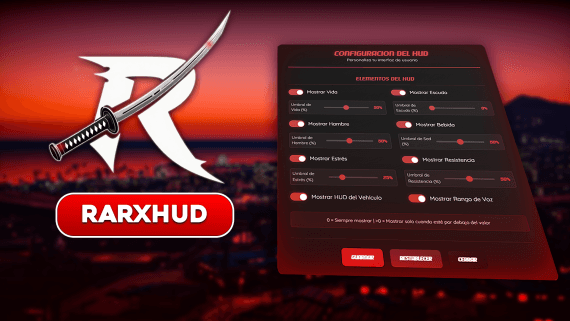
Rarx HUD
Rarx Hud
Modern, fully customizable HUD with built-in notifications, DrawText, 3D key hints, stress system and a complete in-game settings menu
- Qbox
- QBCore
- ESX
- snt
- vRP
rarx_hud
Overview#
RARX Hud is a premium, highly customizable HUD for FiveM. It bundles player status, a vehicle dashboard, weapon info, compass, money, world info and much more into one lightweight resource — and it ships with a complete notification system built in (notifications, DrawText, 3D key hints, help bar and mini logo), so you don't need a separate notify resource.
Everything is configurable from config.lua and from the in-game settings menu, where each player can tailor colors, layout, visibility and more (subject to your permissions).
Features#
Health, armor, hunger, thirst, stress, stamina, oxygen and talking indicator
Speed, RPM, fuel, gears, seatbelt, cruise control and turn signals
Ammo counter, magazine and optional weapon durability
Heading compass with street/postal labels, camera or character based
Full notification system with types, sounds, DrawText, 3D key hints and help bar
Players customize colors, layout, visibility and units live from a clean menu
Drag-and-drop overlay to reposition every HUD element
Per-element colors, monochrome mode and sharp/round styles
Speeding/shooting stress with screen shake & blur, plus relief over time
Letterbox bars and a distraction-free cinematic view
English and Spanish included, switchable via a single convar
QBCore, QBox, ESX, and adapters for snt / vRP — auto-detected
Requirements#
- A supported framework: QBCore, QBox (qbx_core), ESX, snt or vRP
- ox_lib
- rarx_lib (provides the locale/translation helper)
Installation#
Step 1: Place the resource#
resources/
└── [RARX]/
    └── rarx_hud/
Step 2: Add to server.cfg#
ensure ox_lib
ensure rarx_lib
ensure rarx_hudStep 3: Configure#
Open shared/config.lua to set default colors, layout, visibility, the stress system and the notification options.
Configuration#
All values in config.lua are the defaults applied to every player the first time they join. Players can override most of them from the in-game settings menu (unless your permissions prevent it).
Appearance#
| Option | Type | Default | Description |
|---|---|---|---|
Config.UIStyle |
string | "sharp" |
Element shape — "sharp" or "round" |
Config.ColorMode |
string | "colorful" |
"colorful" or "monochrome" |
Config.Perspective |
boolean | false |
Enable the tilted/perspective layout |
Config.SpeedometerUnit |
string | "mph" |
"mph" or "kmh" |
Config.CompassBase |
string | "camera" |
Compass follows "camera" or "character" |
Config.PerformanceMode |
boolean | false |
Lower update rate for low-end clients |
Colors#
Config.UIColors controls the palette for every element:
Config.UIColors = {
    theme            = "FFF9CDFF",   -- primary accent
    armor            = "#86fff9",
    hunger           = "#fff9a8",
    thirst           = "#86fff9",
    stress           = "#ffa9c6",
    talking          = "#ffa9c6",
    RPMMed           = "#fff9a8",
    RPMHigh          = "#ffa9c6",
    turnSignal       = "#ff6524",
    danger           = "#ff0055",
    gearReverse      = "#ffa9c6",
    gearNeutral      = "#fff9a8",
    bankBalance      = "#86ffc6",
    cinematicBars    = "#000000",
    weaponDurability = "#86fff9",
}Cinematic#
| Option | Type | Default | Description |
|---|---|---|---|
Config.CinematicMode |
boolean | false |
Hide the HUD for a cinematic view |
Config.CinematicBars |
boolean | true |
Show letterbox bars in cinematic mode |
Visibility#
Config.Visibility = {
    compass       = "vehicle",  -- "always" | "vehicle" | "command" | "off"
    worldInfo     = "always",   -- "always" | "command" | "off"
    balance       = "dynamic",  -- "always" | "command" | "dynamic"
    map           = "vehicle",  -- "always" | "vehicle"
    postal        = false,
    iconSize      = "medium",   -- "medium" | "large"
    textSize      = "medium",   -- "medium" | "large"
    playerDetails = false,
    customData    = false,
}
Readability Gradients#
Config.Readability = {
    topRight    = false,
    topLeft     = false,
    bottomRight = true,
    bottomLeft  = true,
}
Postal & Fuel#
| Option | Default | Description |
|---|---|---|
Config.PostalFile |
"new-postals.json" |
Postal map file (new-postals.json, ocrp-postals.json, old-postals.json) |
Config.FuelResource |
"LegacyFuel" |
Fuel resource to read levels from |
Stress System#
The HUD includes a built-in stress system that reacts to fast driving and shooting, adding screen shake and blur, and slowly relieving stress over time.
Config.RemoveStress                  = false   -- disable the whole system
Config.DisableStressForLEO           = false   -- no stress for police (qb / qbox)
Config.StressChance                  = 0.1     -- chance to gain stress when shooting
Config.StressWhitelistedWeapons      = { `weapon_petrolcan`, `weapon_fireextinguisher`, ... }
Config.StressMinForSpeeding          = 1000    -- speed threshold (buckled)
Config.StressMinForSpeedingUnbuckled = 50      -- speed threshold (unbuckled, km/h)
Config.StressMinForShaking           = 50      -- stress level that starts screen shake
Config.StressEffectInterval          = { ... } -- shake interval per stress band
Config.StressBlurIntensity           = { ... } -- blur intensity per stress band
Config.StressRelief = {
    enabled  = true,
    interval = 36000,  -- ms between relief ticks
    amount   = 1,      -- stress removed per tick
}Languages#
RARX Hud ships with English and Spanish. The language is chosen with the rarx-lang convar:
setr rarx-lang "es" # Spanish (default: "en")Translations live in the translates/ folder (en.lua, es.lua). To add or edit a language, copy en.lua, translate the strings inside the Translations.nui table, and load it from the fxmanifest. Strings outside nui can be read from Lua with Lang:t('section.key').
Commands & Keybinds#
| Command | Default Key | Description |
|---|---|---|
/hud_settings |
I |
Open the HUD settings menu |
/compass |
— | Toggle the compass |
/worldinfo |
— | Toggle the world info widget |
/cash |
— | Briefly show cash balance |
/bank |
— | Briefly show bank balance |
/cinematic |
— | Toggle cinematic mode |
/cinematicbars |
— | Toggle the letterbox bars |
/seatbelt |
B |
Toggle seatbelt |
/cruise |
Caps Lock |
Toggle cruise control |
/fixnoti |
— | Clear any stuck 3D key hints |
Custom Status & Data#
Admins can push custom status entries (e.g. AOP, priority, server info) that appear in the HUD, persisted server-side.
| Command | Description |
|---|---|
/cs_add id | Label | Value | #color |
Add a custom status |
/cs_set id | Label | Value | #color |
Add or replace a custom status |
/cs_update id | field | value |
Update a field (label, value, color) |
/cs_remove id |
Remove a custom status |
/cs_clear |
Remove all custom statuses |
These can also be driven from other resources through the exports below.
Notifications#
RARX Hud has a complete notification system built in — the same engine, design and API as a standalone notify resource, so you can route all of your server's notifications through it.
Notifications#
exports['rarx_hud']:notify({
    text = 'Player has been revived',
    title = 'EMS',
    type = 'success',     -- success, error, warning, info, alert, gunfire
    timeout = 5000,
    logoUrl = 'https://example.com/ems-logo.png', -- optional
})TriggerEvent('rarx_notify:send', {
text = 'Notification text',
title = 'Optional title',
type = 'info',
timeout = 5000,
})-- One player
TriggerClientEvent('rarx_notify:send', source, {
text = 'You received $500',
title = 'Paycheck',
type = 'success',
})
-- Everyone
TriggerClientEvent('rarx_notify:send', -1, {
text = 'Server restart in 5 minutes',
type = 'warning',
timeout = 10000,
})Notification Types#
| Type | Icon | Use Case |
|---|---|---|
success |
Checkmark | Action completed successfully |
error |
X mark | Something failed |
warning |
Triangle | Caution / attention needed |
info |
Info circle | Informational message |
alert |
Bell | General alert (default) |
gunfire |
Crosshair | Gunfire / combat |
DrawText#
exports['rarx_hud']:drawtext('E', 'Press to interact')
exports['rarx_hud']:hideDrawtext()
3D Key Hints#
local id = exports['rarx_hud']:createHelp('E', 'Open shop')
exports['rarx_hud']:updateHelp(id, 'G', 'Close shop')
exports['rarx_hud']:removeHelp(id)
Help Bar#
-- Supports GTA input codes (e.g. ~INPUT_CONTEXT~)
exports['rarx_hud']:helptext('Press ~INPUT_CONTEXT~ to interact')
exports['rarx_hud']:hideHelptext()
Notify Configuration#
The full notification look & behavior lives under Config.Notify in config.lua — position, max visible, animation, sounds, every color (per type, DrawText, key hints, help bar) and the corner mini logo.
Config.Notify = {
    Position = 'top-right',
    MaxVisible = 4,
    Animation = 'slide-down',     -- slide-down, slide-right, slide-left, fade, scale
    DefaultTimeout = 5000,
    Sounds = { enabled = true, volume = 0.5, ... },
    Colors = { ... },             -- fully customizable
    MiniLogo = { enabled = true, defaultImage = 'minilogo.png', ... },
    KeyHints = { parallax = true, parallaxIntensity = 30 },
}
Mini Logo#
-- Switch the corner logo (admin command)
/cambiarlogo minilogo
/cambiarlogo logonet
Replace nui/public/logonet.png (and rebuild) or ui/logonet.png with your own image to use a custom alternate logo.
Exports Reference#
HUD#
| Export | Side | Parameters | Description |
|---|---|---|---|
IsHudHidden |
client | none | Returns whether the HUD is hidden |
SetHudHidden |
client | bool |
Show/hide the entire HUD |
InsertStatus / UpdateStatus / RemoveStatus |
client | data / id |
Manage custom status entries |
InsertVehicleData / UpdateVehicleData / RemoveVehicleData |
client | data / id |
Manage custom vehicle dashboard data |
AddCustomBalance / UpdateCustomBalance / RemoveCustomBalance |
client | data / id |
Manage extra balance widgets |
refreshBalance / refreshDetails / refreshPlayerData |
server | source |
Force a HUD data refresh for a player |
Notifications#
| Export | Parameters | Description |
|---|---|---|
notify |
data |
Show a notification |
drawtext |
key, text |
Show DrawText key hint |
hideDrawtext |
none | Hide DrawText |
helptext |
text |
Show help bar |
hideHelptext |
none | Hide help bar |
createHelp |
key, text |
Create a 3D key hint (returns id) |
updateHelp |
id, key, text |
Update a hint |
removeHelp |
id |
Remove a hint |
Framework Integration#
Route every framework notification through the HUD. (Examples shown with the rarx_notify name, which the HUD answers to natively.)
QBCore / QBox#
In qb-core/client/functions.lua (or qbx_core/...), replace Notify:
function Notify(text, notifyType, duration)
    local body = type(text) == 'table' and (text.caption or text.text or 'Placeholder') or text
    exports['rarx_hud']:notify({ text = body, type = notifyType or 'info', timeout = duration or 5000 })
end
exports('Notify', Notify)ox_lib#
In ox_lib/resource/interface/client/notify.lua, replace lib.notify:
function lib.notify(data)
    exports['rarx_hud']:notify({
        text = data.description or data.title or 'Placeholder',
        title = data.title,
        type = data.type or 'info',
        timeout = data.duration or 5000,
    })
endESX#
In es_extended/client/functions.lua:
ESX.ShowNotification = function(message, notifyType, duration)
    exports['rarx_hud']:notify({ text = message, type = notifyType or 'info', timeout = duration or 5000 })
endTroubleshooting#
HUD doesn't appear
- Confirm
ensure rarx_hudis in server.cfg, afterox_lib,rarx_liband your framework. - Check the F8 console for errors on join.
- Make sure your framework is detected (QBCore / QBox / ESX / snt / vRP).
Notifications / DrawText don't show
- Trigger one with
exports['rarx_hud']:notify({ text = 'test', type = 'success' }). - If you migrated from a standalone notify resource, make sure it is stopped — the HUD provides the
rarx_notifyname itself.
Wrong language
Set setr rarx-lang "es" (or "en") in server.cfg and restart the resource.
Sounds don't play
Config.Notify.Sounds.enabled = true.- All sound URLs must use HTTPS (HTTP is blocked by FiveM CEF).
Colors / config changes not applying
Fully restart the resource (stop then start, not just ensure) and reconnect to clear the NUI cache.
Support#
Need help? Reach out:
- Discord: discord.gg/rarxnetwork
- Store: rarxnetwork.com