

Rarx Police Missions
Rarx Police Missions
AI Pullover & Police Mission System for FiveM
- QBCore
- ESX
rarx_policemissions
Overview#
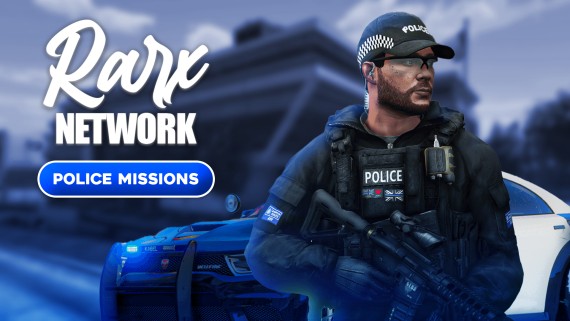
RARX Police Missions is an AI-powered pullover and police mission system that allows officers to conduct traffic stops, issue citations, search vehicles, and engage in pursuits with AI-controlled NPCs.
Requirements#
- ox_lib
- ESX or QBCore framework
Features#
AI Pullovers
Pull over AI vehicles with realistic traffic stop mechanics
Citations
Issue citations and fines to NPCs
Vehicle Search
Search vehicles for contraband and illegal items
Pursuits
Engage in vehicle chases when suspects flee
Additional Features#
- Configurable keybinds for all actions
- Multiple jail locations support
- Payout system for citations, jailing, and chases
- Birds eye view for selecting pullover location
- Cooldown system to prevent spam
- Multi-language support
Installation#
Download
Download rarx_policemissions from your Keymaster and extract to your resources folder.
Configure server.cfg
ensure rarx_policemissionsConfigure
Edit
config/config.luato customize settings.Restart
Restart your server.
Configuration#
Framework & Notifications#
RARX.Framework = "qb-core" -- "qb-core" or "esx"
RARX.NotificationSystem = "framework" -- 'mythic_old', 'mythic_new', 'tnotify', 'okoknotify', 'ox_lib', 'print', 'framework', 'none'
RARX.UseProgBar = "progressbar" -- "progressBars", "mythic_progbar", "ox_lib", "none"
Police Jobs#
RARX.PoliceJobs = {
    ["police"] = "Police",
    -- Add more jobs as needed
}
Payout Settings#
RARX.PayoutSettings = {
    PerCitation = 100,  -- Earnings per citation issued
    PerJailing = 150,   -- Earnings per NPC jailed
    PerChase = 150      -- Earnings per pursuit completed
}Keybinds#
RARX.PulloverKeybinds = {
    CommandName = "rarx:pulloverai",
    Keybind = {
        Enabled = true,
        Key = "H"  -- Default keybind (players can change in settings)
    }
}
Pullover Settings#
RARX.DistToCancelPullover = 65  -- Distance before pullover auto-cancels
RARX.PulloverCooldown = 15      -- Seconds between pullovers
RARX.DistToTalkToPed = 2.5      -- Distance to interact with NPC
Jail Locations#
RARX.JailingLocations = {
    {
        Label = "MRPD",
        Coords = vector3(473.13, -1018.49, 28.09),
        DistToJail = 8
    },
    -- Add more locations as needed
}
Birds Eye View#
Configure the camera zoom levels for selecting pullover location:
RARX.BirdsEyeOffsetHeights = {
    Min = 2.0,
    Default = 10.0,
    Max = 15.0
}Controls#
Pullover Controls#
| Action | Key |
|---|---|
| Initiate Pullover | H (configurable) |
| Confirm | E |
| Cancel | G |
Birds Eye View Controls#
| Action | Key |
|---|---|
| Move Forward | W |
| Move Backward | S |
| Move Left | A |
| Move Right | D |
| Rotate Right | Mouse Wheel Up |
| Rotate Left | Mouse Wheel Down |
| Zoom In | Numpad - |
| Zoom Out | Numpad + |
| Confirm Location | E |
| Cancel | G |
Vehicle Search Controls#
| Action | Key |
|---|---|
| Search Vehicle | E |
| Cancel | G |
Usage#
- Initiate Pullover: Press
Hwhile behind a vehicle - Select Location: Use birds eye view to choose where the NPC should pull over
- Approach Vehicle: Walk up to the stopped vehicle
- Interact: Choose to issue citation, search vehicle, or arrest
- Complete: Receive payout based on actions taken